
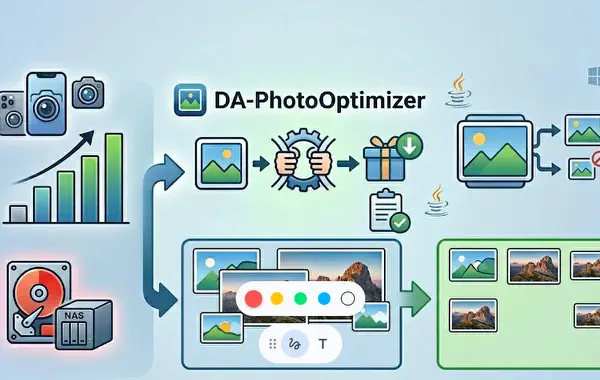
Smartphone photos eat up storage – here’s how we solved the problem
Anyone who takes a lot of photos with their smartphone knows the issue: camera quality keeps improving with every new generation – and file sizes grow right along with it. A single photo from an iPhone or a current Android device can easily reach 5–8 MB, sometimes even more. As long as it’s just a handful of holiday shots, that’s hardly noticeable. But if you regularly back up your photos to a NAS and accumulate thousands of images over time, you’ll eventually notice: storage is running low.
That’s exactly what prompted us to write a small tool: DA-PhotoOptimizer.
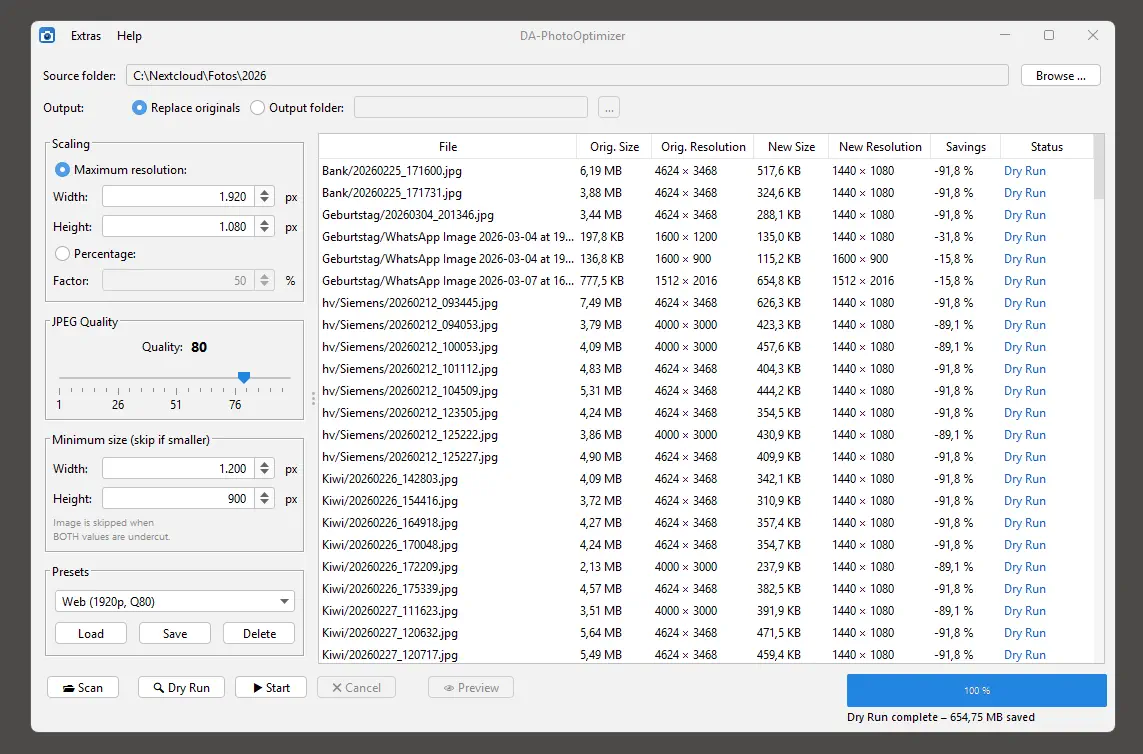
The idea is straightforward: JPEG images can be compressed significantly without any noticeable loss in quality – and if you’re only viewing your photos on screen or printing them occasionally, you don’t really need a full 50-megapixel file. DA-PhotoOptimizer recursively scans a folder structure and compresses all JPEG files according to your settings: you can define a maximum resolution, adjust the JPEG quality – or simply specify a scaling percentage to resize all images proportionally.
One thing that was important to us: don’t blindly shrink everything. Small images that already have a low resolution are automatically skipped. There’s little point in compressing a photo that’s already 400×300 pixels. The tool recognises this and simply leaves those files alone.
Before any file is touched, we recommend using the dry-run mode: it shows you exactly which files would be processed and how much storage you could save – without modifying a single file. Only once you’re happy with the preview do you start the actual processing.
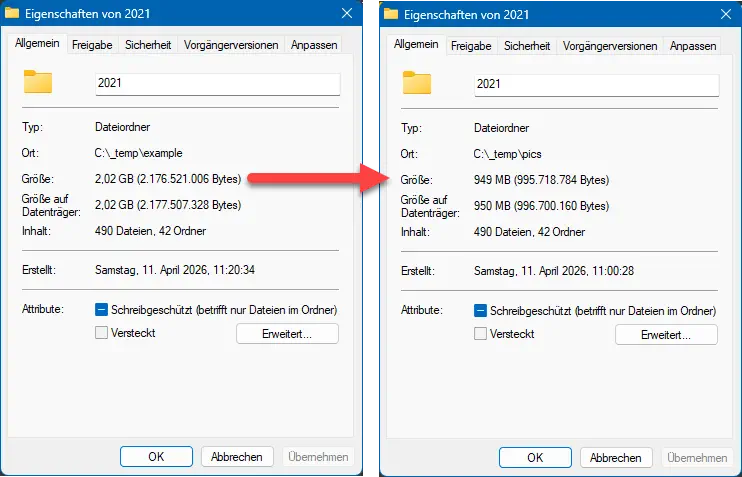
In our test with a real photo folder – 490 images, 42 subfolders, typical smartphone shots – we reduced the folder from 2.02 GB to 949 MB. That’s around 53 % less storage, with photos that still look great afterwards.
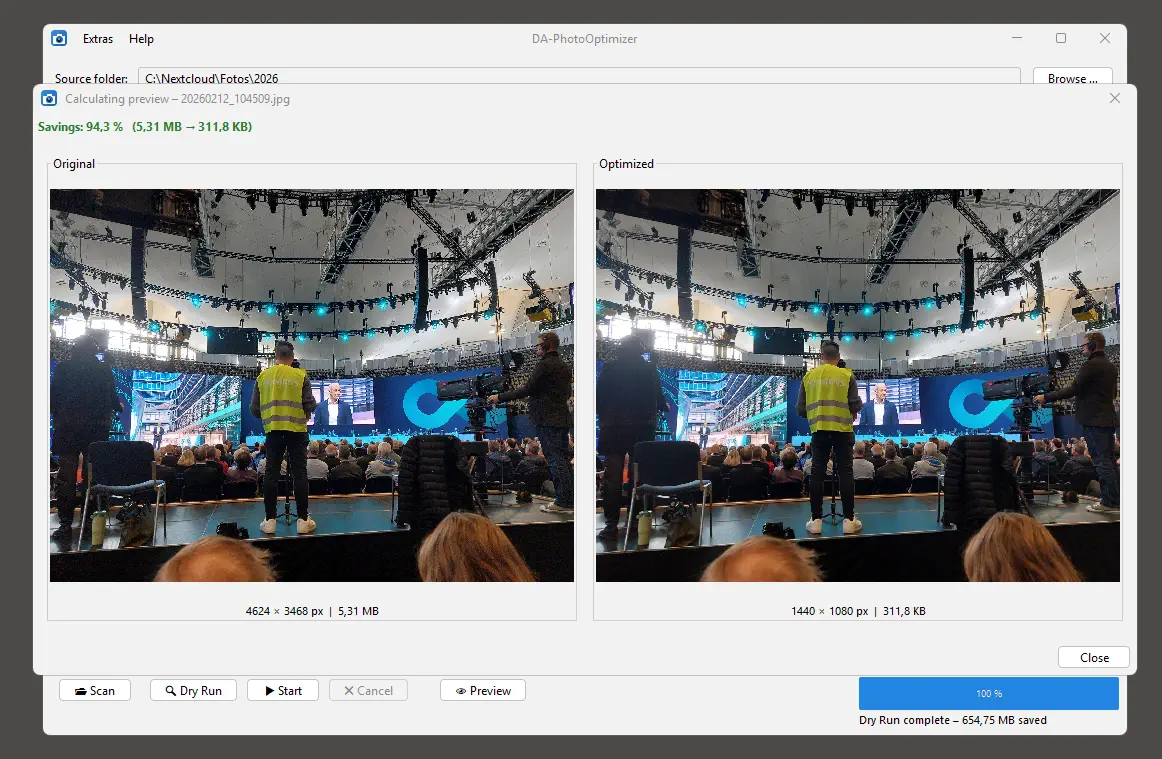
After processing, DA-PhotoOptimizer displays a clear results table listing all processed files – including before and after file sizes. If you optimise regularly, you can save your preferred settings as a preset and reuse them next time with a single click.
DA-PhotoOptimizer is free freeware and runs on Windows and Linux. No user account, no telemetry. The only requirement is Java 17 or newer.
Download and more information: DA-PhotoOptimizer

